
Build it. Break it. Watch Azure Front Door recover.
This hands-on workshop creates a security-first, two-region web entry point with Azure Front Door Premium. The primary origin is in West Europe, the standby is in North Europe, both origins are reached through Azure Private Link, and Microsoft Default Rule Set 2.2 inspects traffic at the edge.
The entire lab uses PowerShell 7 and Azure CLI. There is no Terraform, no GitHub repository, and no hidden starter project. Every file and command you need appears below.
What the live run proved: the normal endpoint returned HTTP 200 from primary-weu; both direct Storage endpoints were blocked; the SQL-injection probe returned HTTP 403; both managed private endpoints were Approved; and WAF was in Prevention mode. A controlled origin-disable reached secondary-neu on one edge, while another edge continued serving primary during propagation. That useful inconsistency is covered in the troubleshooting section.
Architecture
The public attack surface stops at Front Door. The two Storage static website endpoints have public network access disabled after Front Door’s managed private endpoint requests are approved.
Global edge: Azure Front Door Premium endpoint and HTTPS redirect.
Security: WAF Prevention mode, Microsoft Default Rule Set 2.2, and a lab rate-limit rule.
Primary: West Europe Storage static website, priority 1.
Standby: North Europe Storage static website, priority 2.
Health: HTTPS HEAD probe to /healthz/, 30-second interval, 3 of 4 successful samples.
Observability: access, health-probe, WAF, and metrics data sent to Log Analytics.
What the tests prove
Normal traffic reaches the priority-one origin.
Direct origin URLs are blocked after public access is disabled.
A controlled SQL-injection string is blocked at the edge with HTTP 403.
Disabling the primary origin allows Front Door to select the priority-two standby.
Re-enabling the primary restores priority routing.
Deleting one tagged resource group removes the whole lab.
Before you start
You need PowerShell 7.2 or newer, Azure CLI, an Azure subscription, and permissions to create resource groups, Front Door, WAF, Storage, diagnostic settings, and managed private endpoint approvals.
Cost warning: Front Door Premium has a base charge. This workshop is designed for a short learning session. Run cleanup when you finish and verify that the resource group is gone.
Sign in and select the intended subscription:
az login
az account list --output table
az account set --subscription "<subscription name or ID>"
az account show --output table
The deployment script registers the required resource providers and checks the two Front Door CLI extensions. The live run used Azure CLI 2.88.0.
Create the workshop folder
$LabPath = Join-Path $HOME 'azure-front-door-resiliency-workshop'
New-Item -ItemType Directory -Path $LabPath -Force | Out-Null
New-Item -ItemType Directory -Path (Join-Path $LabPath 'site-primary/healthz') -Force | Out-Null
New-Item -ItemType Directory -Path (Join-Path $LabPath 'site-secondary/healthz') -Force | Out-Null
Set-Location $LabPath
Create the four origin files exactly as shown in the next two sections. The visual distinction makes failover obvious without opening Azure Monitor first.
Primary origin page
Save this as site-primary/index.html.
<!doctype html>
<html lang="en">
<head>
  <meta charset="utf-8">
  <meta name="viewport" content="width=device-width, initial-scale=1">
  <meta name="afd-origin" content="primary-weu">
  <title>Azure Front Door Resiliency Lab — Primary</title>
  <style>
    :root { color-scheme: dark; --azure:#42b8ff; --green:#37e6a5; --ink:#07111f; }
    * { box-sizing:border-box; }
    body { margin:0; min-height:100vh; font-family:Segoe UI,Inter,Arial,sans-serif; color:#f4f9ff;
      background:radial-gradient(circle at 20% 0%,#15365d 0,transparent 36%),
                 radial-gradient(circle at 100% 100%,#123b32 0,transparent 35%),var(--ink); }
    .shell { width:min(1080px,92vw); margin:auto; padding:44px 0 56px; }
    .eyebrow { display:inline-flex; gap:10px; align-items:center; color:#b8d9f6; letter-spacing:.12em;
      text-transform:uppercase; font-weight:700; font-size:13px; }
    .dot { width:10px; height:10px; border-radius:50%; background:var(--green); box-shadow:0 0 22px var(--green); }
    h1 { font-size:clamp(44px,8vw,88px); line-height:.97; margin:28px 0 24px; max-width:900px; letter-spacing:-.055em; }
    h1 span { color:var(--azure); }
    .lead { font-size:clamp(18px,2.2vw,25px); color:#c6d7e7; max-width:820px; line-height:1.5; }
    .grid { display:grid; grid-template-columns:repeat(3,1fr); gap:16px; margin-top:48px; }
    .card { padding:24px; min-height:155px; border:1px solid #31516f; border-radius:18px;
      background:linear-gradient(145deg,rgba(20,47,76,.86),rgba(7,17,31,.85)); box-shadow:0 22px 60px #0006; }
    .label { color:#8eb5d8; font-size:13px; text-transform:uppercase; letter-spacing:.12em; }
    .value { font-size:25px; font-weight:750; margin-top:14px; }
    .good { color:var(--green); }
    footer { margin-top:36px; color:#7fa2c1; font-size:14px; }
    @media (max-width:760px) { .grid { grid-template-columns:1fr; } }
  </style>
</head>
<body>
  <main class="shell">
    <div class="eyebrow"><span class="dot"></span>Healthy private origin</div>
    <h1>Traffic is served by the <span>primary region.</span></h1>
    <p class="lead">Azure Front Door Premium inspected this request with WAF, selected the highest-priority healthy origin, and reached this Storage static website over Private Link.</p>
    <section class="grid">
      <article class="card"><div class="label">Origin marker</div><div class="value">primary-weu</div></article>
      <article class="card"><div class="label">Azure region</div><div class="value">West Europe</div></article>
      <article class="card"><div class="label">Resiliency state</div><div class="value good">Active</div></article>
    </section>
    <footer>Azure Front Door Resiliency Lab · Private Storage origins · Azure CLI</footer>
  </main>
</body>
</html>
Save this health response as site-primary/healthz/index.html.
{"status":"healthy","origin":"primary-weu","region":"westeurope"}
Secondary origin page
Save this as site-secondary/index.html.
<!doctype html>
<html lang="en">
<head>
  <meta charset="utf-8">
  <meta name="viewport" content="width=device-width, initial-scale=1">
  <meta name="afd-origin" content="secondary-neu">
  <title>Azure Front Door Resiliency Lab — Failover</title>
  <style>
    :root { color-scheme: dark; --violet:#ad8bff; --amber:#ffc857; --green:#37e6a5; --ink:#0b0b1b; }
    * { box-sizing:border-box; }
    body { margin:0; min-height:100vh; font-family:Segoe UI,Inter,Arial,sans-serif; color:#fbf8ff;
      background:radial-gradient(circle at 18% 0%,#382661 0,transparent 38%),
                 radial-gradient(circle at 100% 100%,#50401e 0,transparent 34%),var(--ink); }
    .shell { width:min(1080px,92vw); margin:auto; padding:44px 0 56px; }
    .eyebrow { display:inline-flex; gap:10px; align-items:center; color:#ded0ff; letter-spacing:.12em;
      text-transform:uppercase; font-weight:700; font-size:13px; }
    .dot { width:10px; height:10px; border-radius:50%; background:var(--amber); box-shadow:0 0 22px var(--amber); }
    h1 { font-size:clamp(44px,8vw,88px); line-height:.97; margin:28px 0 24px; max-width:940px; letter-spacing:-.055em; }
    h1 span { color:var(--violet); }
    .lead { font-size:clamp(18px,2.2vw,25px); color:#d9d1e7; max-width:830px; line-height:1.5; }
    .grid { display:grid; grid-template-columns:repeat(3,1fr); gap:16px; margin-top:48px; }
    .card { padding:24px; min-height:155px; border:1px solid #5c4a7d; border-radius:18px;
      background:linear-gradient(145deg,rgba(52,35,86,.88),rgba(11,11,27,.86)); box-shadow:0 22px 60px #0007; }
    .label { color:#b6a1d8; font-size:13px; text-transform:uppercase; letter-spacing:.12em; }
    .value { font-size:25px; font-weight:750; margin-top:14px; }
    .good { color:var(--green); }
    footer { margin-top:36px; color:#9e90ba; font-size:14px; }
    @media (max-width:760px) { .grid { grid-template-columns:1fr; } }
  </style>
</head>
<body>
  <main class="shell">
    <div class="eyebrow"><span class="dot"></span>Resiliency event detected</div>
    <h1>Traffic failed over to the <span>secondary region.</span></h1>
    <p class="lead">The West Europe health probe failed. Azure Front Door removed that origin from rotation and continued serving through the private North Europe standby.</p>
    <section class="grid">
      <article class="card"><div class="label">Origin marker</div><div class="value">secondary-neu</div></article>
      <article class="card"><div class="label">Azure region</div><div class="value">North Europe</div></article>
      <article class="card"><div class="label">Resiliency state</div><div class="value good">Failover active</div></article>
    </section>
    <footer>Azure Front Door Resiliency Lab · Private Storage origins · Azure CLI</footer>
  </main>
</body>
</html>
Save this health response as site-secondary/healthz/index.html.
{"status":"healthy","origin":"secondary-neu","region":"northeurope"}
The complete Azure CLI automation
Save the following as Invoke-FrontDoorResiliencyLab.ps1 in the workshop folder. It supports six actions: Validate, Deploy, SmokeTest, Failover, Recover, and Destroy.
The safety guard requires an exact resource-group confirmation for deletion unless you deliberately pass -Force in automation. The script also saves non-secret deployment state locally so later actions use the exact resources created by Deploy.
Invoke-FrontDoorResiliencyLab.ps1 — part 1
#requires -Version 7.2
<#
.SYNOPSIS
Deploys and tests a private, multi-region Azure Front Door Premium lab.

.DESCRIPTION
This workshop automation uses Azure CLI only. It creates two regional Azure
Storage static websites, Azure Front Door Premium, WAF, managed private
origins, priority failover, and Log Analytics. It can also run smoke/WAF
tests, initiate and recover a controlled failover, and delete the complete
lab resource group.
#>
[CmdletBinding()]
param(
    [ValidateSet('Validate', 'Deploy', 'SmokeTest', 'Failover', 'Recover', 'Destroy')]
    [string]$Action = 'Validate',

    [string]$SubscriptionId = '',
    [string]$ResourceGroup = '',
    [string]$PrimaryLocation = 'westeurope',
    [string]$SecondaryLocation = 'northeurope',
    [string]$StatePath = (Join-Path $PSScriptRoot 'lab-state.json'),
    [switch]$Force
)

$ErrorActionPreference = 'Stop'
$ProgressPreference = 'SilentlyContinue'

function Write-Step {
    param([string]$Message)
    Write-Host "`n==> $Message" -ForegroundColor Cyan
}

function Invoke-Az {
    param(
        [Parameter(Mandatory, ValueFromRemainingArguments)]
        [string[]]$Arguments,
        [switch]$AllowEmpty
    )

    $output = & az @Arguments 2>&1
    if ($LASTEXITCODE -ne 0) {
        throw "Azure CLI failed: az $($Arguments -join ' ')`n$($output -join "`n")"
    }
    $text = ($output -join "`n").Trim()
    if (-not $AllowEmpty -and [string]::IsNullOrWhiteSpace($text)) {
        return $null
    }
    return $text
}

function Get-LabState {
    if (-not (Test-Path -LiteralPath $StatePath)) {
        throw "Lab state was not found at $StatePath. Run -Action Deploy first."
    }
    return Get-Content -LiteralPath $StatePath -Raw | ConvertFrom-Json
}

function Save-LabState {
    param([hashtable]$State)
    $State | ConvertTo-Json -Depth 8 | Set-Content -LiteralPath $StatePath -Encoding utf8
}

function Get-WebResult {
    param([Parameter(Mandatory)][string]$Uri)
    try {
        $response = Invoke-WebRequest -Uri $Uri -MaximumRedirection 3 -SkipHttpErrorCheck -TimeoutSec 30
        return [pscustomobject]@{
            StatusCode = [int]$response.StatusCode
            Content    = [string]$response.Content
            Headers    = $response.Headers
        }
    }
    catch {
        return [pscustomobject]@{
            StatusCode = 0
            Content    = $_.Exception.Message
            Headers    = @{}
        }
    }
}

function Wait-WebMarker {
    param(
        [Parameter(Mandatory)][string]$Uri,
        [Parameter(Mandatory)][string]$Marker,
        [int]$TimeoutMinutes = 20
    )
    $deadline = (Get-Date).AddMinutes($TimeoutMinutes)
    do {
        $result = Get-WebResult -Uri "$Uri/?probe=$([DateTimeOffset]::UtcNow.ToUnixTimeSeconds())"
        if ($result.StatusCode -eq 200 -and $result.Content -match [regex]::Escape($Marker)) {
            return $result
        }
        Write-Host "Waiting for $Marker (last status: $($result.StatusCode))..."
        Start-Sleep -Seconds 20
    } while ((Get-Date) -lt $deadline)
    throw "Timed out waiting for $Marker at $Uri."
}

function Test-Prerequisites {
    Write-Step 'Validating PowerShell, Azure CLI, sign-in, and providers'
    if ($PSVersionTable.PSVersion.Major -lt 7) {
        throw 'PowerShell 7 or newer is required.'
    }
    $null = Get-Command az -ErrorAction Stop
    $account = Invoke-Az account show --output json | ConvertFrom-Json
    if (-not $account.id) {
        throw 'Azure CLI is not signed in. Run az login first.'
    }
    if ($SubscriptionId) {
        Invoke-Az account set --subscription $SubscriptionId -AllowEmpty
        $account = Invoke-Az account show --output json | ConvertFrom-Json
    }

    foreach ($provider in 'Microsoft.Cdn', 'Microsoft.Web', 'Microsoft.OperationalInsights', 'Microsoft.Insights') {
        $state = Invoke-Az provider show --namespace $provider --query registrationState --output tsv
        if ($state -ne 'Registered') {
            Write-Host "Registering $provider..."
            Invoke-Az provider register --namespace $provider --wait -AllowEmpty
        }
    }

    $afdHelp = & az afd --help 2>&1
    if ($LASTEXITCODE -ne 0) {
        Invoke-Az extension add --name cdn --allow-preview true --upgrade -AllowEmpty
    }
    $wafHelp = & az network front-door waf-policy --help 2>&1
    if ($LASTEXITCODE -ne 0) {
        Invoke-Az extension add --name front-door --upgrade -AllowEmpty
    }

    $azVersion = Invoke-Az version --output json | ConvertFrom-Json
    [pscustomobject]@{
        SubscriptionName = $account.name
        SubscriptionId   = $account.id
        TenantId         = $account.tenantId
        AzureCliVersion  = $azVersion.'azure-cli'
        PowerShell       = $PSVersionTable.PSVersion.ToString()
    } | Format-List
    return $account
}

function Deploy-Lab {
    $account = Test-Prerequisites
    $suffix = ([guid]::NewGuid().ToString('N').Substring(0, 7)).ToLowerInvariant()
    if (-not $ResourceGroup) {
        $script:ResourceGroup = "rg-afd-resiliency-$suffix"
    }

    $names = @{
        PrimaryStorage = "afdpri$suffix"
        SecondStorage  = "afdsec$suffix"
        Profile       = "afd-resiliency-$suffix"
        Endpoint      = "afd-res-$suffix"
        OriginGroup   = 'og-private-resilient'
        PrimaryOrigin = 'origin-primary-weu'
        SecondOrigin  = 'origin-secondary-neu'
        Route         = 'route-global'
        Waf           = "wafafd$suffix"
        Security      = 'security-global'
        Workspace     = "log-afd-resiliency-$suffix"
    }
    $tags = 'workshop=AzureFrontDoorResiliency', 'lifecycle=ephemeral', 'createdBy=AzureCLI'

    Write-Step "Creating resource group $ResourceGroup"
    Invoke-Az group create --name $ResourceGroup --location $PrimaryLocation --tags @tags --output none -AllowEmpty

    Write-Step 'Creating Log Analytics'
    Invoke-Az monitor log-analytics workspace create `
        --resource-group $ResourceGroup `
        --workspace-name $names.Workspace `
        --location $PrimaryLocation `
        --retention-time 30 `
        --quota 1 `
        --tags @tags `
        --output none -AllowEmpty

    Write-Step 'Creating two low-cost regional Storage static website origins'
    Invoke-Az storage account create `
        --resource-group $ResourceGroup `
        --name $names.PrimaryStorage `
        --location $PrimaryLocation `
        --sku Standard_LRS `
        --kind StorageV2 `
        --https-only true `
        --min-tls-version TLS1_2 `
        --tags @tags `
        --output none -AllowEmpty
    Invoke-Az storage account create `
        --resource-group $ResourceGroup `
        --name $names.SecondStorage `
        --location $SecondaryLocation `
        --sku Standard_LRS `
        --kind StorageV2 `
        --https-only true `
        --min-tls-version TLS1_2 `
        --tags @tags `
        --output none -AllowEmpty

    Write-Step 'Enabling static websites and uploading the visual origin pages'
    foreach ($storage in $names.PrimaryStorage, $names.SecondStorage) {
        Invoke-Az storage blob service-properties update `
            --account-name $storage `
            --static-website true `
            --index-document index.html `
            --404-document index.html `
            --auth-mode key `
            --output none -AllowEmpty
    }
    Invoke-Az storage blob upload-batch `
        --account-name $names.PrimaryStorage `
        --destination '$web' `
        --source (Join-Path $PSScriptRoot 'site-primary') `
        --overwrite true `
        --auth-mode key `
        --no-progress `
        --output none -AllowEmpty
    Invoke-Az storage blob upload-batch `
        --account-name $names.SecondStorage `
        --destination '$web' `
        --source (Join-Path $PSScriptRoot 'site-secondary') `
        --overwrite true `
        --auth-mode key `
        --no-progress `
        --output none -AllowEmpty

    $primaryWebUrl = (Invoke-Az storage account show --resource-group $ResourceGroup --name $names.PrimaryStorage --query primaryEndpoints.web --output tsv).TrimEnd('/')
    $secondaryWebUrl = (Invoke-Az storage account show --resource-group $ResourceGroup --name $names.SecondStorage --query primaryEndpoints.web --output tsv).TrimEnd('/')
    $primaryHost = ([uri]$primaryWebUrl).Host
    $secondaryHost = ([uri]$secondaryWebUrl).Host
    $primaryStorageId = Invoke-Az storage account show --resource-group $ResourceGroup --name $names.PrimaryStorage --query id --output tsv
    $secondaryStorageId = Invoke-Az storage account show --resource-group $ResourceGroup --name $names.SecondStorage --query id --output tsv

    Write-Step 'Creating Front Door Premium, endpoint, and health-probed origin group'
    Invoke-Az afd profile create `
        --resource-group $ResourceGroup `
        --profile-name $names.Profile `
        --sku Premium_AzureFrontDoor `
        --tags @tags `
        --output none -AllowEmpty
    Invoke-Az afd endpoint create `
        --resource-group $ResourceGroup `
        --profile-name $names.Profile `
        --endpoint-name $names.Endpoint `
        --enabled-state Enabled `
        --output none -AllowEmpty
    Invoke-Az afd origin-group create `
        --resource-group $ResourceGroup `
        --profile-name $names.Profile `
        --origin-group-name $names.OriginGroup `
        --probe-path /healthz/ `
        --probe-protocol Https `
        --probe-request-type HEAD `
        --probe-interval-in-seconds 30 `
        --sample-size 4 `
        --successful-samples-required 3 `
        --additional-latency-in-milliseconds 50 `
        --output none -AllowEmpty

    $primaryPrivateLink = @{
        groupId             = 'web'
        privateLink         = @{ id = $primaryStorageId }
        privateLinkLocation = $PrimaryLocation
        requestMessage      = 'AFD-resiliency-primary-origin'
    } | ConvertTo-Json -Depth 5 -Compress
    $secondaryPrivateLink = @{
        groupId             = 'web'
        privateLink         = @{ id = $secondaryStorageId }
        privateLinkLocation = $SecondaryLocation
        requestMessage      = 'AFD-resiliency-secondary-origin'
    } | ConvertTo-Json -Depth 5 -Compress

    Write-Step 'Creating active/passive private origins'
    Invoke-Az afd origin create `
        --resource-group $ResourceGroup `
        --profile-name $names.Profile `
        --origin-group-name $names.OriginGroup `
        --origin-name $names.PrimaryOrigin `
        --host-name $primaryHost `
Invoke-FrontDoorResiliencyLab.ps1 — part 2
        --origin-host-header $primaryHost `
        --https-port 443 `
        --priority 1 `
        --weight 1000 `
        --enabled-state Enabled `
        --enforce-certificate-name-check true `
        --shared-private-link-resource $primaryPrivateLink `
        --output none -AllowEmpty
    Invoke-Az afd origin create `
        --resource-group $ResourceGroup `
        --profile-name $names.Profile `
        --origin-group-name $names.OriginGroup `
        --origin-name $names.SecondOrigin `
        --host-name $secondaryHost `
        --origin-host-header $secondaryHost `
        --https-port 443 `
        --priority 2 `
        --weight 1000 `
        --enabled-state Enabled `
        --enforce-certificate-name-check true `
        --shared-private-link-resource $secondaryPrivateLink `
        --output none -AllowEmpty

    Write-Step 'Waiting for and approving both managed private endpoint requests'
    foreach ($storageId in $primaryStorageId, $secondaryStorageId) {
        $deadline = (Get-Date).AddMinutes(15)
        $connectionIds = @()
        do {
            $raw = Invoke-Az network private-endpoint-connection list --id $storageId --query "[?properties.privateLinkServiceConnectionState.status=='Pending'].id" --output tsv -AllowEmpty
            $connectionIds = @($raw -split "`r?`n" | Where-Object { $_ })
            if ($connectionIds.Count -eq 0) {
                Write-Host 'Waiting for private endpoint request...'
                Start-Sleep -Seconds 15
            }
        } while ($connectionIds.Count -eq 0 -and (Get-Date) -lt $deadline)
        if ($connectionIds.Count -eq 0) {
            throw "No pending private endpoint request appeared for $storageId."
        }
        foreach ($connectionId in $connectionIds) {
            $approved = $false
            for ($attempt = 1; $attempt -le 8 -and -not $approved; $attempt++) {
                try {
                    Invoke-Az network private-endpoint-connection approve --id $connectionId --description 'Approved-for-ephemeral-AFD-workshop' --output none -AllowEmpty
                }
                catch {
                    Write-Warning "Private endpoint approval attempt $attempt returned a transient error."
                }
                $status = Invoke-Az network private-endpoint-connection show --id $connectionId --query properties.privateLinkServiceConnectionState.status --output tsv
                $approved = $status -eq 'Approved'
                if (-not $approved) {
                    Start-Sleep -Seconds 15
                }
            }
            if (-not $approved) {
                throw "Private endpoint approval did not reach Approved for $connectionId."
            }
        }
    }

    $originGroupId = Invoke-Az afd origin-group show --resource-group $ResourceGroup --profile-name $names.Profile --origin-group-name $names.OriginGroup --query id --output tsv
    Write-Step 'Creating the HTTPS route'
    Invoke-Az afd route create `
        --resource-group $ResourceGroup `
        --profile-name $names.Profile `
        --endpoint-name $names.Endpoint `
        --route-name $names.Route `
        --origin-group $originGroupId `
        --patterns-to-match '/*' `
        --supported-protocols Http Https `
        --forwarding-protocol HttpsOnly `
        --https-redirect Enabled `
        --link-to-default-domain Enabled `
        --enabled-state Enabled `
        --output none -AllowEmpty

    Write-Step 'Creating WAF prevention policy with Microsoft DRS 2.2'
    Invoke-Az network front-door waf-policy create `
        --resource-group $ResourceGroup `
        --name $names.Waf `
        --location Global `
        --sku Premium_AzureFrontDoor `
        --mode Prevention `
        --request-body-check Enabled `
        --output none -AllowEmpty
    Invoke-Az network front-door waf-policy managed-rules add `
        --resource-group $ResourceGroup `
        --policy-name $names.Waf `
        --type Microsoft_DefaultRuleSet `
        --version 2.2 `
        --action Block `
        --output none -AllowEmpty
    Invoke-Az network front-door waf-policy rule create `
        --resource-group $ResourceGroup `
        --policy-name $names.Waf `
        --name WorkshopRateLimit `
        --priority 10 `
        --rule-type RateLimitRule `
        --rate-limit-duration 1 `
        --rate-limit-threshold 10 `
        --match-variable RequestUri `
        --operator Contains `
        --values /ratelimitme `
        --action Block `
        --output none -AllowEmpty

    $wafId = Invoke-Az network front-door waf-policy show --resource-group $ResourceGroup --name $names.Waf --query id --output tsv
    $endpointId = Invoke-Az afd endpoint show --resource-group $ResourceGroup --profile-name $names.Profile --endpoint-name $names.Endpoint --query id --output tsv
    $wafAssociation = @{
        wafPolicy    = @{ id = $wafId }
        associations = @(
            @{
                domains         = @(@{ id = $endpointId })
                patternsToMatch = @('/*')
            }
        )
    } | ConvertTo-Json -Depth 8 -Compress
    Invoke-Az afd security-policy create `
        --resource-group $ResourceGroup `
        --profile-name $names.Profile `
        --security-policy-name $names.Security `
        --web-application-firewall $wafAssociation `
        --output none -AllowEmpty

    Write-Step 'Sending Front Door access, probe, and WAF diagnostics to Log Analytics'
    $profileId = Invoke-Az afd profile show --resource-group $ResourceGroup --profile-name $names.Profile --query id --output tsv
    $workspaceId = Invoke-Az monitor log-analytics workspace show --resource-group $ResourceGroup --workspace-name $names.Workspace --query id --output tsv
    $categories = @((Invoke-Az monitor diagnostic-settings categories list --resource $profileId --query "value[?categoryType=='Logs'].name" --output tsv -AllowEmpty) -split "`r?`n" | Where-Object { $_ })
    $logSettings = @($categories | ForEach-Object { @{ category = $_; enabled = $true } }) | ConvertTo-Json -Depth 4 -Compress
    $metricSettings = @(@{ category = 'AllMetrics'; enabled = $true }) | ConvertTo-Json -Compress -AsArray
    Invoke-Az monitor diagnostic-settings create `
        --resource $profileId `
        --name send-to-log-analytics `
        --workspace $workspaceId `
        --export-to-resource-specific true `
        --logs $logSettings `
        --metrics $metricSettings `
        --output none -AllowEmpty

    Write-Step 'Disabling public network access on both origins'
    Invoke-Az storage account update --resource-group $ResourceGroup --name $names.PrimaryStorage --public-network-access Disabled --output none -AllowEmpty
    Invoke-Az storage account update --resource-group $ResourceGroup --name $names.SecondStorage --public-network-access Disabled --output none -AllowEmpty

    $endpointHost = Invoke-Az afd endpoint show --resource-group $ResourceGroup --profile-name $names.Profile --endpoint-name $names.Endpoint --query hostName --output tsv
    $state = @{
        subscriptionId   = $account.id
        resourceGroup    = $ResourceGroup
        primaryLocation  = $PrimaryLocation
        secondaryLocation = $SecondaryLocation
        primaryStorage   = $names.PrimaryStorage
        secondaryStorage = $names.SecondStorage
        primaryStorageId = $primaryStorageId
        secondaryStorageId = $secondaryStorageId
        primaryWebUrl    = $primaryWebUrl
        secondaryWebUrl  = $secondaryWebUrl
        primaryHost      = $primaryHost
        secondaryHost    = $secondaryHost
        profile          = $names.Profile
        profileId        = $profileId
        endpoint         = $names.Endpoint
        endpointHost     = $endpointHost
        endpointUrl      = "https://$endpointHost"
        originGroup      = $names.OriginGroup
        primaryOrigin    = $names.PrimaryOrigin
        secondaryOrigin  = $names.SecondOrigin
        route            = $names.Route
        waf              = $names.Waf
        wafId            = $wafId
        workspace        = $names.Workspace
        workspaceId      = $workspaceId
        deployedAtUtc    = [DateTime]::UtcNow.ToString('o')
    }
    Save-LabState -State $state

    Write-Step 'Waiting for global Front Door propagation and the primary response'
    $null = Wait-WebMarker -Uri $state.endpointUrl -Marker 'primary-weu' -TimeoutMinutes 25
    Write-Host "`nLab ready: $($state.endpointUrl)" -ForegroundColor Green
    return [pscustomobject]$state
}

function Test-Lab {
    $state = Get-LabState
    Invoke-Az account set --subscription $state.subscriptionId -AllowEmpty
    Write-Step 'Running the live smoke and security tests'

    $frontDoor = Get-WebResult -Uri "$($state.endpointUrl)/?test=smoke"
    $primaryDirect = Get-WebResult -Uri "https://$($state.primaryHost)/"
    $secondaryDirect = Get-WebResult -Uri "https://$($state.secondaryHost)/"
    $wafTest = Get-WebResult -Uri "$($state.endpointUrl)/?id=1%20OR%201%3D1--"
    $primaryPe = Invoke-Az network private-endpoint-connection list --id $state.primaryStorageId --query '[0].properties.privateLinkServiceConnectionState.status' --output tsv
    $secondaryPe = Invoke-Az network private-endpoint-connection list --id $state.secondaryStorageId --query '[0].properties.privateLinkServiceConnectionState.status' --output tsv
    $wafMode = Invoke-Az network front-door waf-policy show --resource-group $state.resourceGroup --name $state.waf --query policySettings.mode --output tsv

    $results = @(
        [pscustomobject]@{ Test = 'Front Door HTTPS'; Expected = '200 / primary-weu'; Actual = "$($frontDoor.StatusCode) / $([bool]($frontDoor.Content -match 'primary-weu'))"; Passed = $frontDoor.StatusCode -eq 200 -and $frontDoor.Content -match 'primary-weu' }
        [pscustomobject]@{ Test = 'Primary direct access'; Expected = 'Blocked'; Actual = $primaryDirect.StatusCode; Passed = $primaryDirect.StatusCode -notin 200..299 }
        [pscustomobject]@{ Test = 'Secondary direct access'; Expected = 'Blocked'; Actual = $secondaryDirect.StatusCode; Passed = $secondaryDirect.StatusCode -notin 200..299 }
        [pscustomobject]@{ Test = 'WAF SQL injection'; Expected = '403'; Actual = $wafTest.StatusCode; Passed = $wafTest.StatusCode -eq 403 }
        [pscustomobject]@{ Test = 'Primary private link'; Expected = 'Approved'; Actual = $primaryPe; Passed = $primaryPe -eq 'Approved' }
Invoke-FrontDoorResiliencyLab.ps1 — part 3
        [pscustomobject]@{ Test = 'Secondary private link'; Expected = 'Approved'; Actual = $secondaryPe; Passed = $secondaryPe -eq 'Approved' }
        [pscustomobject]@{ Test = 'WAF mode'; Expected = 'Prevention'; Actual = $wafMode; Passed = $wafMode -eq 'Prevention' }
    )
    $results | Format-Table -AutoSize
    $resultPath = Join-Path $PSScriptRoot 'smoke-test-results.json'
    $results | ConvertTo-Json -Depth 4 | Set-Content -LiteralPath $resultPath -Encoding utf8
    if ($results.Passed -contains $false) {
        throw "One or more smoke tests failed. Review $resultPath."
    }
    Write-Host "`nAll smoke tests passed." -ForegroundColor Green
    return $results
}

function Start-Failover {
    $state = Get-LabState
    Invoke-Az account set --subscription $state.subscriptionId -AllowEmpty
    Write-Step "Disabling primary origin $($state.primaryOrigin)"
    Invoke-Az afd origin update `
        --resource-group $state.resourceGroup `
        --profile-name $state.profile `
        --origin-group-name $state.originGroup `
        --origin-name $state.primaryOrigin `
        --enabled-state Disabled `
        --output none -AllowEmpty
    Write-Step 'Waiting for Front Door to select the North Europe standby'
    $result = Wait-WebMarker -Uri $state.endpointUrl -Marker 'secondary-neu' -TimeoutMinutes 20
    [pscustomobject]@{
        Endpoint   = $state.endpointUrl
        StatusCode = $result.StatusCode
        Origin     = 'secondary-neu'
        State      = 'Primary origin disabled; failover is active'
    } | Format-List
    Write-Host 'Failover is active. Run -Action Recover when the demonstration is complete.' -ForegroundColor Yellow
}

function Recover-Primary {
    $state = Get-LabState
    Invoke-Az account set --subscription $state.subscriptionId -AllowEmpty
    Write-Step "Enabling primary origin $($state.primaryOrigin)"
    Invoke-Az afd origin update `
        --resource-group $state.resourceGroup `
        --profile-name $state.profile `
        --origin-group-name $state.originGroup `
        --origin-name $state.primaryOrigin `
        --enabled-state Enabled `
        --output none -AllowEmpty
    Write-Step 'Waiting for Front Door to restore priority-one routing'
    $result = Wait-WebMarker -Uri $state.endpointUrl -Marker 'primary-weu' -TimeoutMinutes 20
    [pscustomobject]@{
        Endpoint   = $state.endpointUrl
        StatusCode = $result.StatusCode
        Origin     = 'primary-weu'
        State      = 'Recovered'
    } | Format-List
    Write-Host 'Primary routing recovered.' -ForegroundColor Green
}

function Remove-Lab {
    $state = Get-LabState
    Invoke-Az account set --subscription $state.subscriptionId -AllowEmpty
    $expected = "DELETE $($state.resourceGroup)"
    if (-not $Force) {
        $confirmation = Read-Host "Type exactly '$expected' to delete every lab resource"
        if ($confirmation -cne $expected) {
            throw 'Delete confirmation did not match. Nothing was deleted.'
        }
    }

    Write-Step "Deleting resource group $($state.resourceGroup)"
    Invoke-Az group delete --name $state.resourceGroup --yes --no-wait -AllowEmpty
    $deadline = (Get-Date).AddMinutes(35)
    do {
        $exists = Invoke-Az group exists --name $state.resourceGroup --output tsv
        if ($exists -eq 'false') {
            Write-Host 'Cleanup verified: the lab resource group no longer exists.' -ForegroundColor Green
            return
        }
        Write-Host 'Azure is still deleting the lab...'
        Start-Sleep -Seconds 20
    } while ((Get-Date) -lt $deadline)
    throw "Cleanup was still in progress after 35 minutes. Check: az group exists -n $($state.resourceGroup)"
}

switch ($Action) {
    'Validate'  { Test-Prerequisites | Out-Null }
    'Deploy'    { Deploy-Lab | Out-Null }
    'SmokeTest' { Test-Lab | Out-Null }
    'Failover'  { Start-Failover }
    'Recover'   { Recover-Primary }
    'Destroy'   { Remove-Lab }
}
Validate and deploy
pwsh ./Invoke-FrontDoorResiliencyLab.ps1 -Action Validate
pwsh ./Invoke-FrontDoorResiliencyLab.ps1 -Action Deploy
Deployment normally takes 10–20 minutes because Front Door is global and each private origin requires an approval round trip. Do not continue until the script prints the azurefd.net URL and confirms that it contains primary-weu.
If Azure Storage briefly returns ServiceUnavailable during private endpoint approval, the script rechecks the actual connection state and retries. The live run received that transient response once; the connection nevertheless reached Approved.
Live result: healthy priority-one routing
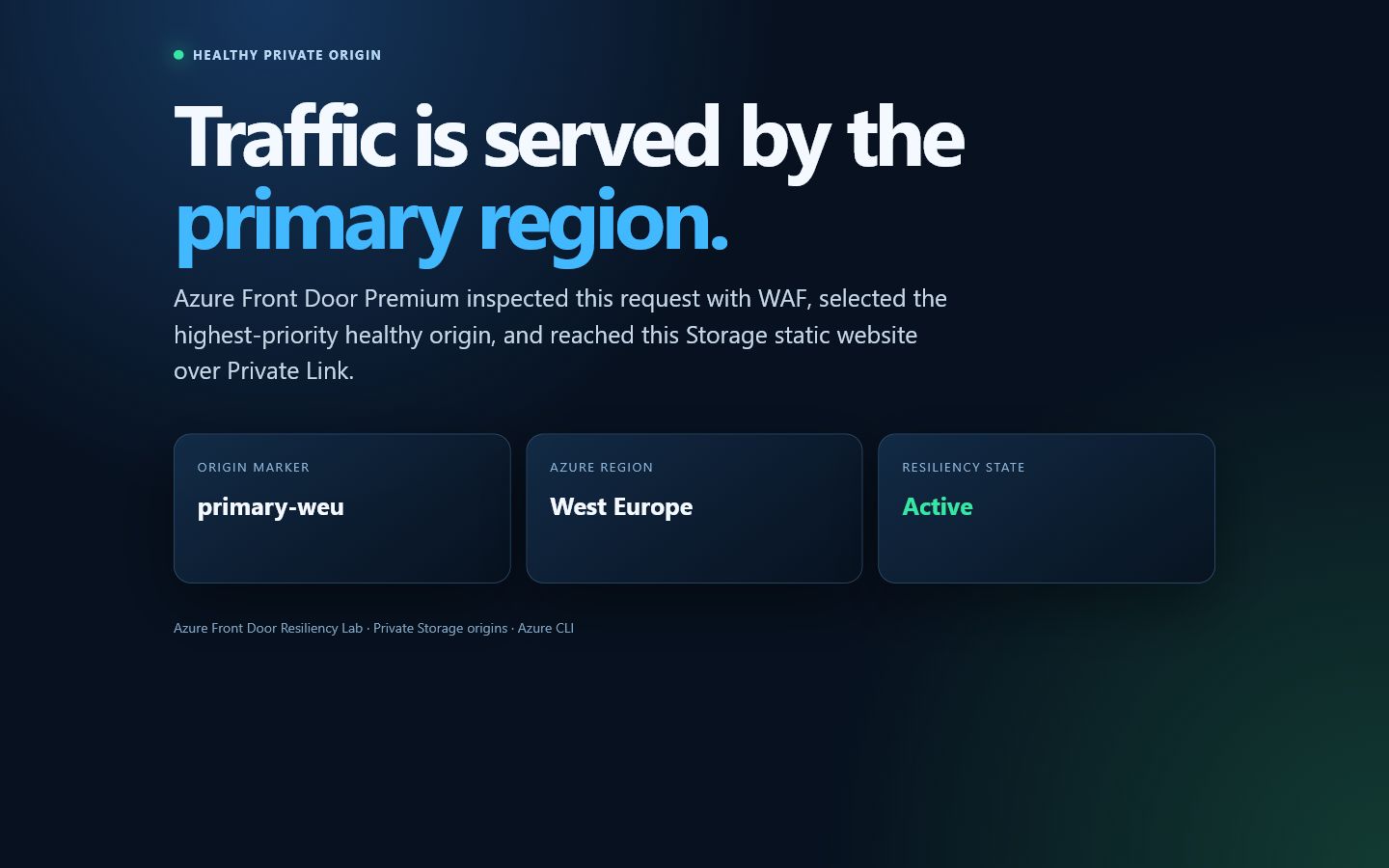
This screenshot came from the real azurefd.net endpoint. The marker, region, and Active state are part of the origin content, so an HTTP 200 alone cannot hide an incorrect routing decision.
Run the smoke and security tests
pwsh ./Invoke-FrontDoorResiliencyLab.ps1 -Action SmokeTestThe live run passed these seven assertions:
Front Door HTTPS returned HTTP 200 and primary-weu.
The primary Storage static website was not directly reachable.
The secondary Storage static website was not directly reachable.
The WAF SQL-injection probe returned HTTP 403.
The primary managed Private Link connection was Approved.
The secondary managed Private Link connection was Approved.
The WAF policy was in Prevention mode.
Live result: WAF blocks at the edge
The test sends a deliberately malicious query string:
$State = Get-Content ./lab-state.json -Raw | ConvertFrom-Json
$AttackUrl = "$($State.endpointUrl)/?id=1%20OR%201%3D1--"
Invoke-WebRequest -Uri $AttackUrl -SkipHttpErrorCheck
The response is generated by WAF. The request is rejected before it can reach either private Storage origin.
Run the controlled regional failover
This workshop disables only the primary Front Door origin; it does not delete data or alter the Storage account. The secondary stays enabled and healthy.
pwsh ./Invoke-FrontDoorResiliencyLab.ps1 -Action FailoverThe action waits until the response contains secondary-neu. Keep the returned endpoint open and refresh it with unique query parameters to avoid mistaking a cached page for a routing decision.
Live observation: one edge returned secondary-neu after about four minutes, while the browser’s edge continued serving primary-weu during the same propagation window even though Azure reported the primary origin Disabled. This demonstrates why a global failover exercise needs multi-location probes and a convergence objective, not a single successful request.
Restore the primary as soon as the observation is complete:
pwsh ./Invoke-FrontDoorResiliencyLab.ps1 -Action RecoverRecovery is successful only when the endpoint returns HTTP 200 and the primary-weu marker again.
Troubleshooting the NotStarted control-plane state
During the live run, Azure returned provisioningState: Succeeded but kept deploymentStatus: NotStarted on the endpoint, route, origin group, origins, and security policy. The data plane later began serving HTTP 200 even while that field remained stale.
Use the data plane and the private connection state together:
$State = Get-Content ./lab-state.json -Raw | ConvertFrom-Json

az afd endpoint show `
  --resource-group $State.resourceGroup `
  --profile-name $State.profile `
  --endpoint-name $State.endpoint `
  --query "{provisioning:provisioningState,deployment:deploymentStatus,host:hostName}"

az afd origin list `
  --resource-group $State.resourceGroup `
  --profile-name $State.profile `
  --origin-group-name $State.originGroup `
  --query "[].{name:name,enabled:enabledState,privateLink:sharedPrivateLinkResource.status,priority:priority}"

Invoke-WebRequest -Uri "$($State.endpointUrl)/?readiness=$([guid]::NewGuid())" `
  -SkipHttpErrorCheck
Do not start a fault if normal traffic is not already healthy. If the endpoint remains unavailable, confirm both Storage-side private endpoint connections are Approved, confirm the origin-side shared status is Approved, update the route after approval, and allow time for global propagation. If it remains stuck, stop the exercise and open an Azure support request with the correlation IDs.
Query the workshop logs
Front Door logs can take several minutes to arrive. In Log Analytics, run:
AFDFrontDoorAccessLog
| where TimeGenerated > ago(30m)
| project TimeGenerated, RequestUri, HttpStatusCode, BackendHostname, TrackingReference
| order by TimeGenerated desc

AFDWebApplicationFirewallLog
| where TimeGenerated > ago(30m)
| project TimeGenerated, Action, RuleName, RuleGroup, ClientIP, RequestUri
| order by TimeGenerated desc

AFDFrontDoorHealthProbeLog
| where TimeGenerated > ago(30m)
| summarize probes=count(), failures=countif(HttpStatusCode != 200)
  by Backend, bin(TimeGenerated, 5m)
| order by TimeGenerated desc
If your workspace uses AzureDiagnostics rather than resource-specific tables, select that table and filter Category for FrontDoorAccessLog, FrontDoorHealthProbeLog, or FrontDoorWebApplicationFirewallLog.
Clean up and verify deletion
pwsh ./Invoke-FrontDoorResiliencyLab.ps1 -Action DestroyType the exact confirmation shown by the script. For unattended cleanup after an explicitly approved workshop run:
pwsh ./Invoke-FrontDoorResiliencyLab.ps1 -Action Destroy -ForceFront Door is global, so resource-group deletion can take much longer than Storage deletion. The script polls until the group no longer exists. You can independently verify:
$State = Get-Content ./lab-state.json -Raw | ConvertFrom-Json
az group exists --name $State.resourceGroup
The correct final value is false.
Production hardening ideas
Add a verified custom domain, managed certificate, and DNS cutover plan.
Use zone-redundant or geo-redundant origin designs appropriate to the workload.
Set an explicit recovery-time objective and measure multi-edge convergence.
Tune WAF exclusions only from reviewed false-positive evidence.
Send logs to a central workspace and alert on origin-health and WAF anomalies.
Add synthetic tests from several geographies rather than relying on one client location.
Use Azure Policy to require HTTPS, minimum TLS, diagnostics, and restricted public access.
Run failover during an approved game day with owners, rollback criteria, and communications.
Comments