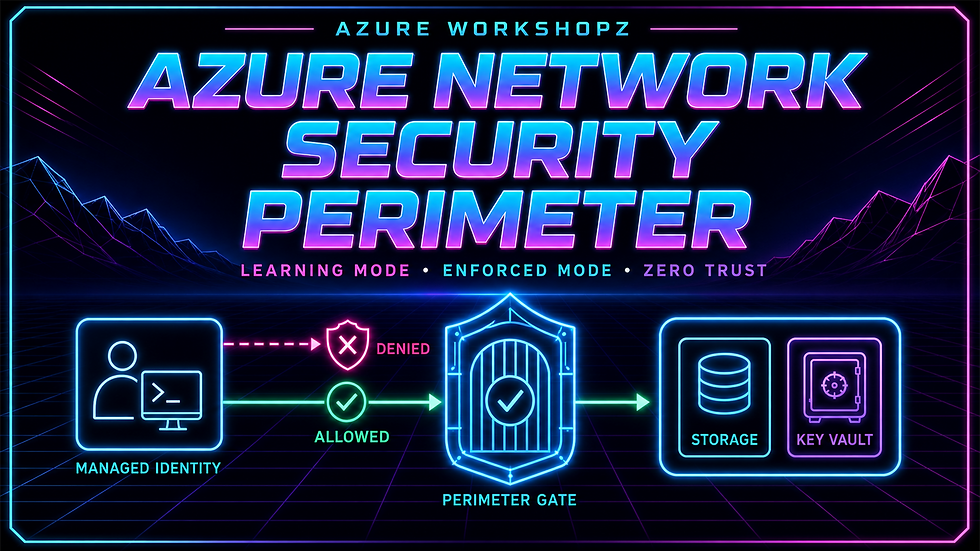
Advanced workshop · 90–120 minutes · Terraform + PowerShell 7 + Azure CLI
Network Security Perimeter gives Azure PaaS resources a shared logical boundary for public inbound and outbound access. The crucial operational question is not how to draw that boundary—it is how to enforce it without discovering critical dependencies through an outage.
This Workshopz lab takes the safe route. You will place Azure Storage, Key Vault, and Log Analytics behind one perimeter profile; exercise them from a short-lived managed-identity VM; observe traffic while the associations are in Learning mode; promote all three to Enforced; prove that both data services return HTTP 403; add one explicit subscription-based rule; prove access recovery; validate the log trail; and remove every workshop artifact.
Terminology: The Azure portal calls the onboarding state Transition mode. Terraform and Azure APIs still use the value Learning. They describe the same association behavior in this lab.
Cost and safety warning: The workshop creates a B1s VM, managed disk, Standard public IP, Storage account, Key Vault, Log Analytics workspace, and a small volume of logs. A modest charge is possible until cleanup. Use only the isolated workshop resource group and never associate an existing production resource.
Architecture
Azure subscription
└── rg-awz-nsp-we
    ├── Network Security Perimeter
    │   └── Profile: paas-data
    │       ├── Storage association
    │       ├── Key Vault association
    │       ├── Log Analytics association
    │       └── Subscription inbound rule — final stage only
    ├── Storage account — Shared Key disabled
    ├── Key Vault — Azure RBAC
    ├── Log Analytics workspace — NSPAccessLogs
    └── Test network
        └── Ubuntu 24.04 B1s VM + user-assigned identity
            ├── Static outbound public IP
            ├── No custom inbound NSG rules
            └── Scoped Storage, Key Vault, and Log Analytics roles
The VM never accepts inbound traffic. Azure VM Run Command starts each test, the VM requests tokens from the managed identity endpoint, and the data-plane calls go directly to Storage, Key Vault, and Log Analytics. No learner IP allowlist, account key, client secret, proof value, or SSH private key is collected.
What you will prove
A read-only preflight refuses unsafe starting conditions and records a protected baseline.
Storage, Key Vault, and Log Analytics can share one NSP profile in Learning/Transition mode.
Managed-identity data access succeeds without an NSP access rule during Transition.
NSPAccessLogs records resource-firewall fallback as NspPublicInboundResourceRulesAllowed.
Enforced associations without a perimeter rule return HTTP 403 from both services.
Denials arrive as NspPublicInboundPerimeterRulesDenied.
An explicit subscription-based inbound rule restores HTTP 200 while RBAC remains mandatory.
Allowed traffic arrives as NspPublicInboundPerimeterRulesAllowed.
Terraform reports zero drift and cleanup restores the protected baseline.
Before you begin
The active subscription must grant the signed-in principal Owner and User Access Administrator. Install Terraform 1.15.8, Azure CLI 2.88.0, and PowerShell 7.6.3. The live package pins AzureRM 4.79.0, AzAPI 2.11.0, random 3.9.0, and TLS 4.3.0 in .terraform.lock.hcl.
az login
az account set --subscription "<subscription-id>"
$subscriptionId = (az account show --query id --output tsv).Trim()

terraform version
az version
$PSVersionTable.PSVersion
Keep identifiers in shell memory. State, plans, runtime values, SSH material, VM scripts, tokens, resource IDs, public IPs, and raw screenshots remain in ignored work/.
Stage 1 — Read-only preflight and safety gate
pwsh ./Start-AzureNetworkSecurityPerimeterWorkshop.ps1 `
  -SubscriptionId $subscriptionId `
  -Stage Preflight
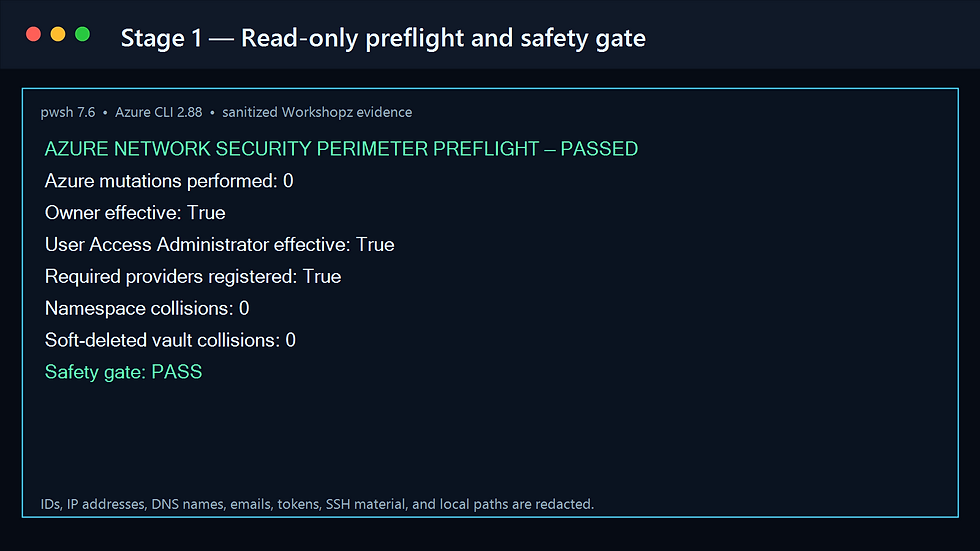
Preflight performs zero Azure mutations. It validates the active account, exact Terraform version, minimum CLI and PowerShell versions, effective Owner and User Access Administrator roles, required provider registrations, B1s availability in West Europe, namespace collisions, and soft-deleted Key Vault names. It then snapshots subscription resources, direct role assignments, and subscription diagnostic settings.
Stage 2 — Deploy Learning mode, shown as Transition in the portal
pwsh ./Start-AzureNetworkSecurityPerimeterWorkshop.ps1 `
  -SubscriptionId $subscriptionId `
  -Stage Deploy
Terraform creates the dedicated resource group, perimeter and paas-data profile, three PaaS resources, diagnostic setting, identity, scoped roles, VNet, NSG, static public IP, NIC, and Ubuntu VM. Each association uses:
association_access_mode = "Learning"
enable_subscription_access_rule = false
Public endpoints stay enabled during this stage. In Transition, unmatched requests fall back to the protected resource's own firewall behavior. That fallback is precisely what the first evidence stage observes.
The Storage control-plane object uses pinned AzAPI because Shared Key is disabled from creation. AzureRM still manages every perimeter, association, role, VM, Key Vault, workspace, and diagnostic resource. This avoids giving Terraform a temporary storage key or weakening the final state.

Stage 3 — Seed and observe without an NSP rule
pwsh ./Start-AzureNetworkSecurityPerimeterWorkshop.ps1 `
  -SubscriptionId $subscriptionId `
  -Stage Observe `
  -LogWaitSeconds 2700
The VM's user-assigned identity has Storage Blob Data Contributor on the account, Key Vault Secrets Officer on the vault, and Log Analytics Reader on the workspace. From VM Run Command it:
creates a private blob container;
writes a non-sensitive proof blob;
writes a non-sensitive proof secret;
reads both values;
compares them locally without printing either value.
Both reads must return HTTP 200. The script then waits for NSPAccessLogs rows labeled NspPublicInboundResourceRulesAllowed for Storage and Key Vault.


Stage 4 — Promote to Enforced with no access rule
pwsh ./Start-AzureNetworkSecurityPerimeterWorkshop.ps1 `
  -SubscriptionId $subscriptionId `
  -Stage Enforce
The second stage input changes only the three association modes:
association_access_mode = "Enforced"
enable_subscription_access_rule = false
Once propagation completes, the same managed identity still has its Storage and Key Vault roles—but the perimeter has no matching inbound rule. Network access fails first, and both reads must return HTTP 403.
This distinction is central to Zero Trust: NSP decides whether the network request may reach the service. Azure RBAC independently decides whether the identity may perform the requested operation. Both controls must allow the request.


Stage 5 — Add explicit subscription access and recover
pwsh ./Start-AzureNetworkSecurityPerimeterWorkshop.ps1 `
  -SubscriptionId $subscriptionId `
  -Stage Allow
The final stage keeps the associations Enforced and creates one Inbound rule for managed identities originating from the active subscription. The private subscription list is injected through an environment variable; it is never committed to a stage file.
Terraform validation rejects the rule unless:
association_access_mode == Enforced
enable_subscription_access_rule == true
allowed_subscription_ids contains at least one GUID
After propagation, both reads return HTTP 200 and both local proof comparisons match. The proof contents never appear in the public evidence.

Stage 6 — Validate logs, posture, and zero drift
pwsh ./Start-AzureNetworkSecurityPerimeterWorkshop.ps1 `
  -SubscriptionId $subscriptionId `
  -Stage Validate `
  -LogWaitSeconds 2700
Validation requires all three traffic outcomes:
Transition fallback → NspPublicInboundResourceRulesAllowed
Enforced denial     → NspPublicInboundPerimeterRulesDenied
Explicit recovery   → NspPublicInboundPerimeterRulesAllowed
The evidence collector also proves three Enforced associations, one inbound rule, allLogs diagnostic routing, Storage Shared Key disabled, Key Vault RBAC enabled, no custom inbound NSG rules, and the three scoped data roles. A final terraform plan -detailed-exitcode must return 0.

Stage 7 — Ordered cleanup and protected-baseline proof
pwsh ./Remove-AzureNetworkSecurityPerimeterWorkshop.ps1 `
  -SubscriptionId $subscriptionId `
  -ConfirmCleanup `
  -Confirm:$false
Cleanup destroys the Terraform dependency graph, waits for rg-awz-nsp-we to disappear, purges the known workshop Key Vault, proves that no workshop resource or soft-deleted vault remains, and compares resources, direct role assignments, and subscription diagnostic settings with the read-only baseline.

Troubleshooting matrix
Symptom | Cause | Resolution |
|---|---|---|
Preflight refuses the run | A workshop name, resource group, or soft-deleted vault already exists | Clean only a known previous lab or select a clean subscription. Never bypass the gate. |
`Standard_B1s` is unavailable | Regional subscription restriction or quota | Use another approved subscription or deliberately change `vm_size` after checking regional availability. |
VM Run Command has no result | VM agent startup or role assignment is still propagating | Wait several minutes and rerun the idempotent stage. |
Transition returns 403 | A service role is missing, public network access was disabled, or the association is already Enforced | Verify the stage input, UAMI roles, and service network configuration. |
`NSPAccessLogs` returns HTTP 400 | The new table has not materialized | Generate fresh traffic and wait. The default upper bound is 45 minutes. |
Enforced returns 200 without a rule | Association mode has not propagated | Confirm all three associations show Enforced, wait, and rerun the negative test. |
Allow still returns 403 | The subscription rule has not propagated or uses the wrong direction | Confirm one Inbound rule and the active subscription, then retry. |
Log Analytics itself becomes unreachable | Its association is Enforced before a matching rule exists | This is deliberate during the denial stage; query again after the final rule is active. |
Final plan returns 2 | Workshop resources drifted from `03-enforced-allow.tfvars` | Review the private plan and reconcile only the isolated lab. |
Cleanup baseline fails | Another subscription change occurred during the lab | Compare private snapshots and restore only the unrelated change; do not weaken the assertion. |
Production limitations and hardening
This lab proves one public-inbound pattern from managed identities in one subscription. It is not a complete enterprise perimeter design.
For production:
Store state in a private, locked, recoverable backend and authenticate delivery pipelines with workload identity federation.
Separate perimeter administration, resource ownership, and security monitoring. Use PIM and access reviews.
Keep resources in Transition long enough to observe representative business traffic, including batch, DR, backup, monitoring, and support paths.
Start with narrow access rules, named owners, review dates, and change records. Avoid broad subscription rules where a tighter architecture is practical.
Treat NSP as a network control, not a substitute for Azure RBAC, managed identities, key rotation, data encryption, Defender, or application authorization.
Keep the diagnostic destination inside the perimeter and monitor ingestion health so enforcement cannot silently remove your evidence path.
Review cross-region behavior, outbound/exfiltration controls, private endpoints, DNS, service limitations, and incident-response access before production rollout.
Automate policy checks that prevent unreviewed Enforced associations and rules from bypassing the Transition evidence gate.
The operational principle is straightforward: learn first, deny deliberately, and restore only the access path you can explain.
Comments